



There are many battery sizes available for the GMC Sierra 1500. However, buying the wrong one could lead to inconsistencies and other problems with your vehicle's electrical system, such as draining your battery too quickly. Our team here at Meadowland GMC in Carmel has put together this guide to help you choose the right battery and make sure your truck is performing at its best. How To Determine the Battery Size for Your GMC Sierra 1500 To find out the battery size and type that GMC recommends for your Sierra 1500, check your owner's manual or contact our battery service center in Carmel, New York. For the best quality, choosing a GMC-approved battery's a good idea. Many manufacturers produce these batteries, and they often come with warranties. If your replacement battery fails before the warranty term expires, you can get another one for free in many circumstances. However, choosing the wrong battery size could void the warranty. Batteries for a GMC Sierra 1500 Made After 2006 From the 2007 model year to the current generation, GMC Sierra trucks use an H6 or Group 48 battery, which usually costs about $350 and has a rectangular shape with recessed top post terminals. One option is the OPTIMA YELLOWTOP DH6, which is 10.94 inches long, 6.89 inches wide, and 7.48 inches tall. It weighs about 54 pounds and has a C20 rating of 72Ah, meaning that the battery can deliver this energy over 20 hours. The YELLOWTOP also gives 800 cold cranking amps, enough for reliable operation even in cold weather. If you want to make sure your Sierra performs well, stay away from smaller batteries. You should also avoid batteries that are too big, as some batteries may not fit inside your truck correctly. Even a large vehicle such as the GMC Sierra 1500 only has a limited amount of space for the battery and other components. Batteries for Trucks Made After 1972 If your GMC truck was built between 1973 and 2006, there are several different battery sizes to choose from. H6 or Group 48 batteries work in many of these vehicles, and pricing and specifications vary somewhat from one battery to the next. Battery Sizes for Older Trucks For GMC trucks built between 1960 and 1972, several Group 34 battery variants are available. Group 34 batteries are slightly smaller than H6 or Group 48 options. They weigh less and are slightly less powerful. These older GMC Sierras include fewer electronics, so they don't need as much battery power as modern vehicles unless several accessories were installed recently. Most batteries for modern vehicles can produce 12 volts, but trucks built before 1960 may still use 6 volts. For these vehicles, consider the 6-volt OPTIMA REDTOP. It has a C20 rating of 50 Ah and is 10.06 inches long, 3.63 inches wide, and 8.15 inches tall. This battery costs about $250 and weighs 18.5 lbs. You can use most batteries that fit under the hood with a newer 12-volt electrical system for one of these trucks. No matter how old your GMC Sierra 1500 is, choosing a more powerful YELLOWTOP battery is a good idea if you have electronic accessories such as a winch or an aftermarket stereo system. Possible Causes of Battery Failure The battery in your GMC Sierra 1500 could fail for a variety of reasons, including cold weather, time, corrosion, or excessive draining. Cold Weather Batteries that are older and already partially drained may not start in cold weather, especially if your vehicle has lots of accessories and electronics. Carmel, New York, usually has cold winters, so it's a good idea to choose a battery with more power than you need in normal circumstances. That way, you won't be stuck in your driveway when you need to commute in freezing weather. Time No matter how powerful they are, all batteries will wear out eventually. Car batteries usually last for three to five years, so if yours is more than 5 years old, go ahead and have a new one installed by one of our certified service professionals. This can keep you from being stranded far from home when your battery finally runs out of juice. Even if you have a newer battery, it could run out of energy if you don't drive your truck for a long period of time. The alternator usually recharges the battery, but it only works when the vehicle is running. Adding a battery tender or trickle charger prevents this problem by delivering a steady charge to your battery during storage. Corrosion Corrosion at battery connections or terminals often causes failure as well. It keeps the alternator or trickle charger from doing its job and recharging your battery. Corrosion often looks like a white powder or a blue or green growth that resembles mold or moss. You can use a rag or a stiff wire brush to clean it off when needed. Excessive Draining If your battery dies because you left the headlights, an interior light, or another accessory on too long, you can usually get a jump-start instead of a new battery. Ask an expert to make sure your battery still works properly and remember to check your truck after you park for things that might drain it. Another potential cause of battery draining is an electronic parasite, such as a bad alternator. If your alternator isn't working correctly, your battery won't recharge when needed, and it may die often. A broken fuse or another problem could drain the battery as well. Get Your Battery Checked in Carmel, New York Our trained technicians can find out whether you need a new battery, or you have another problem such as corrosion or a bad alternator. We'll help you choose a battery that can start your GMC Sierra 1500's engine and all of your accessories. Contact us for expert assistance and a great deal on a new battery. Our service department is open from 8 a.m. to 5 p.m. on weekdays and from 8 a.m. to 3 p.m. on Saturdays. You can also visit us to shop for a new or used GMC Sierra 1500.
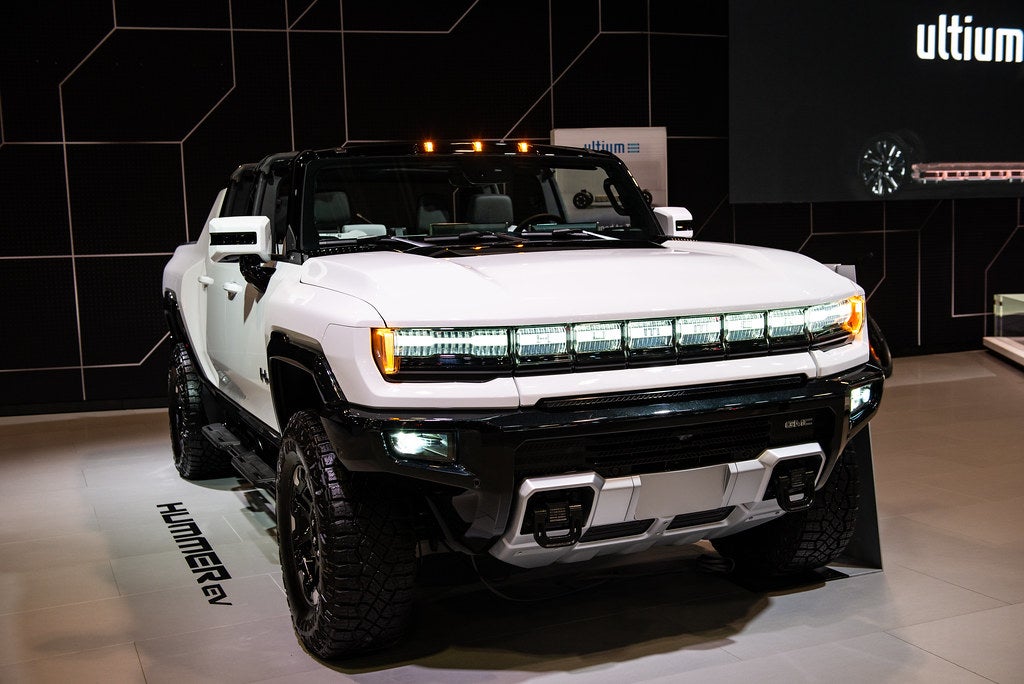
How Much Does the Hummer EV Weigh
The Hummer electric vehicle (EV) has made big waves in the auto industry since its reemergence as an EV when its predecessors were quite the opposite. It has a pickup and an SUV version, each with impressive specs and features. If you're in the market for one, you may wonder how much it weighs, what it can tow, what the seating is like, and what it takes to charge. Read on for those answers and more. NEW VEHICLES USED GMC VEHICLES VALUE YOUR TRADE-IN Hummer EV Pickup First, we'll take a closer look at the Hummer EV pickup. After this blog, if you still have questions, feel free to speak with our team, and we can set up a test drive. Dimensions and Capabilities As you may expect by just looking at it, the Hummer EV is incredibly heavy, weighing in at 9,063 lbs. It's 216.8 inches in length, 79.1 inches in height, and its wheelbase is 135.6 inches. Its maximum width without mirrors is 86.7 inches, and with mirrors, it jumps to 93.7. The track width for both front and rear is 73.3 inches, and the front and rear suspension travel are 13 inches. Your curb-to-curb turning diameter is 44.3 feet, but if you upgrade to the available four-wheel steer, you get a tighter turn at 37.1. The front overhang is 34.7 inches, and the rear is 46.5. The cargo bed length is 60.1 inches, and the eTrunk volume is 11.3 cubic feet. As for payload, the Hummer EV pickup can hold up to 1,300 pounds. The maximum towing capacity is an incredible 8,500 pounds. This truck is a beast in the best way. Exterior The Hummer EV pickup sports the iconic Hummer look while infusing modern features. For instance, the headlights are animated when you switch the truck on and signal a turn. They also do double duty, indicating the level of charge. The power eTrunk is accessed by lifting the front hood, where you'll find a 12-volt power outlet, lighting, and four cargo D-rings. The MultiPro Tailgate is designed with you in mind, making it easier to step up into the bed and handle your cargo. Going off-road? Get the Extreme Off-Road Package that uses a protective chassis to safeguard the underbody, drive unit, and battery pack with accessories such as steel plates and shields, skid plates, and rock sliders. That's not all. This pickup features off-road bumpers and body panels to aid in climbing steep angles. Integrated front recovery hooks are also available. Moving to the top, the infinity roof with modular sky panels is a unique feature. They come standard in opaque, but you can upgrade to transparent panels. And as if being surrounded by windows isn't enough, the lightweight sky panels can be easily removed so you can enjoy Meadowland's open air. Interior Moving inside, you'll feel like you're in a rocket ship thanks to the 12.3-inch diagonal Driver Information Center and center-mounted 13.4-inch diagonal touch screen with 3D graphics. You'll also see a Bose 14-speaker audio system featuring Centerpoint with the EV Sound Enhancement system. These advanced features, coupled with the bright, spacious interior, make driving a Hummer EV, or simply being a passenger, a full-body all-senses experience you're not going to get anywhere else. The tech is just as impressive. The visualizations and animations featuring all pertinent vehicle information were created using Epic Game's Unreal Engine software. You'll get a three-year subscription to Super Cruise, a driver-assistance technology that allows hands-free driving and automatic lane changing on over 400,000 miles of road in the U.S. and Canada. The built-in navigation uses Google Maps. You'll also have Google Assistant and Google Play that can do anything from navigating the Super Cruise roads and finding the nearest charging station to getting live traffic updates. And it's all voice-activated. The available Off-Road App lets you keep an eye on things such as G-force, pitch-and-roll metrics, drift angles, and more. Electric Charging can be a make-or-break feature when it comes to choosing an EV, and GMC is making it as convenient as ever with amenities such as portable charging cords, at-home charging units, and more public accelerated charging stations. You'll love using the high-occupancy vehicle lane while emitting zero tailpipe emissions. You may even get a state or local tax incentive. With three motors and an Ultium battery, the GM-estimated electric range on a full charge is up to an astounding 355 miles. You can also get up to 1,000 horsepower, up to 11,500 lb-ft of torque, and go from zero to 60 mph in approximately three seconds. Hummer EV SUV This incredible force of a vehicle is now available in an SUV as well. Let's check out some differences between the pickup and the SUV models. Dimensions and Capabilities The weight is only slightly less for the SUV, weighing 8,660 pounds. You'll get 81.8 cubic feet of cargo volume behind the front seats and 35.9 cubic feet behind the second-row seats. The length varies a bit, coming to 196.8 inches without the spare tire and 206.7 inches with it. It's also marginally shorter, at 77.8 inches, with a smaller wheelbase of 126.7 inches. However, you get a better turn radius with a curb-to-curb diameter of 42 feet with the standard two-wheel steering or 35.4 feet with the available four-wheel steering. The SUV's towing capacity is shy of the truck's but still offers a respectable 7,500 pounds. You can also opt for the ProGrade Trailering System to further enhance the ease of your towing experience. Exterior The rear of the SUV features a Power Swing Gate, opening via your key fob or exterior button, making it convenient to get into no matter what you're loading or unloading. The SUV has the same sky panels available on the truck and ensures the same experience by incorporating Power Rear Drop Glass on the swing gate, allowing you to lower that back window. Interior Many interior features are the same. However, the SUV offers up to 17 camera views (as opposed to the truck's 18) to provide real-time terrain images to your high-definition center display. Both also offer incredible safety features, such as Safety Seat Alert, a system that uses left, right, or both driver's side seat vibrations to indicate the direction of a potential accident, allowing you to move to safety quickly. Electric The three motors and Ultium battery get an EPA-estimated full charge all-electric range of 314 miles. You'll also get up to 830 horsepower, up to 11,500 lb-ft of torque, and can go from zero to 60 mph in approximately 3.5 seconds. Pickup or SUV: Which Will It Be? Both options share many advanced features, so it may come down to being a truck or SUV person. Check out some options in person at Meadowland GMC or browse our extensive inventory online today. Photo Credit: Hummer EV by John Bauld is licensed with CC BY 2.0
Will there be a Denali EV?
The automotive industry is witnessing a significant shift toward electric vehicles (EVs), with many automakers announcing plans to develop and launch electric models in the coming years. General Motors is among those leading the charge, with its GMC brand playing a pivotal role in this transition. One of the most anticipated electric trucks on the horizon is GMC's Sierra EV Denali Edition 1, which was recently unveiled by the company. So, to answer the question — yes, there will be a Denali EV. Introducing the 2024 GMC Sierra EV Denali Edition 1 GMC has unveiled its all-electric truck — the 2024 Sierra EV Denali Edition 1. Slated for availability in early 2024, this revolutionary truck joins GMC's lineup as its third all-electric model, following the Hummer EV pickup and SUV. Combining luxury, performance, and advanced technology in an environmentally friendly package, the Sierra EV Denali will surely appeal to a wide range of truck enthusiasts. Why Electric Makes Sense for a Truck For many years, trucks have been synonymous with power, durability, and capability. With the dawn of EVs, some might question whether an electric truck can live up to these expectations. The truth is that electric propulsion makes perfect sense for trucks, and here's why: Exceptional Torque Delivery One of the most prominent advantages of electric motors is their ability to deliver instant torque from a standstill. This attribute is particularly important for trucks that are frequently used for towing and hauling heavy loads. Electric trucks such as the Sierra EV Denali Edition 1 can instantly provide peak torque, ensuring powerful acceleration and improved performance in demanding situations. Lower Operating Costs EVs typically boast lower operating costs compared to their internal combustion engine (ICE) counterparts. EVs require less maintenance, as they have fewer moving parts, such as no transmission or exhaust systems, and don't require oil changes. Additionally, electricity is generally cheaper than gasoline or diesel on a per-mile basis. Over time, these savings can add up and offset the higher upfront cost of an electric truck. Environmental Benefits Electric trucks contribute significantly less to greenhouse gas emissions compared to ICE trucks, since they produce zero tailpipe emissions. Choosing an electric truck such as the Sierra EV Denali Edition 1 can reduce your carbon footprint and promote cleaner air quality without sacrificing performance capabilities or functionality. Quiet Operation Electric motors operate much more quietly than traditional gasoline or diesel engines. This reduced noise pollution leads to a more comfortable driving experience inside and outside the vehicle. An electric truck provides a distinct advantage in residential or work areas where noise could be disruptive. Exterior Design The exterior of the Sierra EV Denali Edition 1 features a redefined look with modern finishes that create an unmistakable presence. Highlights include illuminated GMC badging, a lit perimeter shield, and unique charging indicator lighting. Bed and Storage Capabilities The Sierra EV Denali Edition 1 features an integrated 5-foot, 11-inch cargo bed that provides ample space for hauling both work-related equipment and recreational gear. The innovative MultiPro MidGate system increases versatility by allowing you to extend the bed length when needed. This feature enables you to accommodate longer items without compromising passenger space in the cabin. Moreover, GMC has included an eTrunk — an additional secured storage compartment located in the front of the truck. This space is perfect for keeping smaller items secure and organized, ensuring you always have easy access to essential gear. Interior Design Inside, you'll find luxury elements, such as unique geometric quilting on CoreTec seating material, horizontal cross-car lines that emphasize spaciousness, and exquisitely engineered basswood and Galvano chrome finishes. This elegant interior creates a comfortable environment for you and your passengers. Powertrain and Performance Built on GM's Ultium platform, the Sierra EV Denali Edition 1 boasts impressive powertrain capabilities. With dual motors powering its all-wheel-drive system, it delivers 754 horsepower and 785 lb-ft of torque. This electric beast accelerates from zero to 60 mph in less than 4.5 seconds, offering a thrilling driving experience without emissions. The truck also has a maximum towing capacity of 9,500 pounds, making it a practical choice for those who need to haul heavy loads without sacrificing performance. Range and Charging One of the primary concerns for potential EV buyers is range anxiety. Thankfully, GMC has addressed this issue with the Sierra EV Denali Edition 1. The truck boasts an estimated range of up to 400 miles on a full charge, providing more than enough power for most daily activities in Carmel and longer trips in the New York state area. Additionally, the vehicle features 350-kW DC fast-charging capabilities, allowing you to recharge quickly during pit stops if necessary. Cutting-Edge Technology and Features The Sierra EV Denali Edition 1 is packed with advanced technology that adds convenience, safety, and entertainment value to your drive. Some standout features include: Air Ride Adaptive Suspension for a smooth ride. Multiple driving modes for a personalized experience. Panoramic fixed glass roof for stunning views. MultiPro MidGate that extends the bed length. eTrunk providing additional secured storage. Four-wheel steering with CrabWalk capability for enhanced maneuverability. A 16.8-inch center touch screen for accessing all functions of the truck. A 14-inch multicolor head-up display to provide critical information while keeping your eyes on the road. The Denali EV Edition 1 also comes equipped with Super Cruise hands-free driver assistance technology and a three-year OnStar and Connected Services Premium Plan for added peace of mind. Pricing and Future Trims The luxurious 2024 GMC Sierra EV Denali Edition 1 starts at $108,695. While this might seem steep for some buyers, the included features and performance capabilities make it a worthwhile investment. If you're seeking a more affordable option, GMC plans to introduce AT4 and Elevation trims in the 2025 model year, with lower starting prices and slightly different performance claims. Anticipating the 2024 GMC Sierra EV Denali The 2024 GMC Sierra EV Denali Edition 1 is an exciting addition to the world of EVs. With its striking design, impressive performance capabilities, extended range, and cutting-edge technology, it's poised to become a popular option among truck lovers looking to go electric. If you're interested in learning more about this electrifying truck or exploring other GMC vehicle options, such as the Sierra 1500, feel free to visit our dealership in Carmel, New York, or contact our knowledgeable staff. We'd be delighted to help you find your dream vehicle.
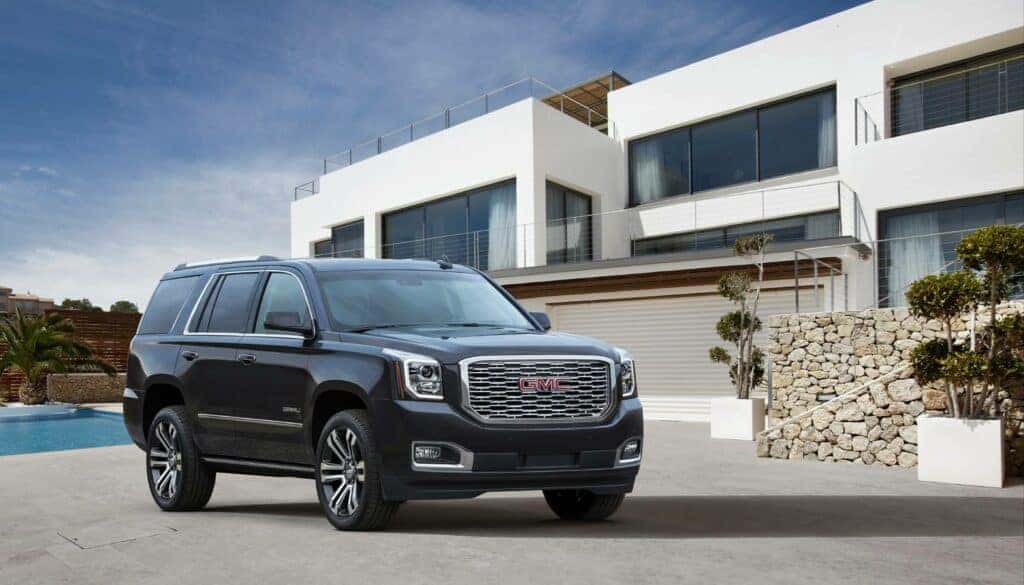
How To Reset Park Assist On The GMC Yukon
Park Assist is an incredibly helpful safety feature in modern vehicles, especially for large SUVs, such as the GMC Yukon. It uses multiple ultrasonic sensors on the front and back of the vehicle to alert drivers of nearby detected objects or vehicles while parking. However, there may be times when you need to reset this system due to a malfunction or you simply want to turn it off temporarily. In this article, we’ll guide you through how to troubleshoot and reset the Park Assist feature on your GMC Yukon. Image from gmc.com NEW GMC YUKONS SCHEDULE SERVICE CALL US TODAY! Understanding Park Assist and Its Features Before diving into resetting Park Assist, let’s first understand its features and benefits: Safety: Front and Rear Park Assist provides alerts of nearby detected objects (up to 6 feet behind the vehicle) and helps drivers park safely. Visual guidance: In addition to audio alerts, some Park Assist systems provide visual guidance on the infotainment screen or dashboard display. These graphics include distance indicators and dynamic guidelines that adjust as you move your vehicle to help you accurately align it within a parking space. Ultrasonic sensors: Multiple sensors on both front and rear bumpers detect obstacles at low speeds (up to 4 feet in front). Alerts: Audio signals, such as low-pitched beeps or pulses, are emitted depending on proximity, with caution triangles displayed on the infotainment screen. However, remember that these safety features are not substitutes for responsible driving. Always remain attentive to traffic conditions around your vehicle. Common Reasons for Park Assist Malfunctions Several factors can cause your GMC Yukon’s Park Assist system to malfunction. Blocked or Dirty Sensors Park Assist relies on ultrasonic sensors mounted on the front and rear bumpers to detect obstacles while parking. The parking assist could be blocked if these sensors become blocked or covered by dirt, mud, snow, or debris, causing the system’s performance to be compromised. Regularly cleaning your vehicle and ensuring the unobstructed sensors will help maintain optimal functionality. You might even see a "Park Assist Blocked See Owner's Manual" message on your dash. Low Car Battery or Auto Stop/Start Voltage Drop Your vehicle’s battery powers many systems, including the Park Assist feature. A low or weak battery could supply inadequate power to these systems. Additionally, during the engine Auto Stop/Start phase, low battery voltage can sometimes throw a temporary error code. Regularly inspect and maintain your car’s battery health to avoid this issue according to manufacturer recommendations. Blown Electric Fuse Blown fuses can cause trouble, as they are responsible for supplying power throughout various components of the safety system as well as electronic modules controlling them. Checking and replacing any damaged fuses ensures optimal working conditions for all driving aids within your GMC Yukon. The Microchip Shortage (Missing Module) Due to global supply chain issues in 2022 and 2023, many GMC Yukons were built without the Park Assist module. GM promised a dealer retrofit later. If you have a vehicle from this period and Park Assist isn't working, you may just need to visit a dealership (like Meadowland GMC) to get your retrofit chip installed. Methods for Resetting Your GMC Yukon’s Park Assist Resetting via the Infotainment Screen (Modern Yukons) For most recent GMC Yukon models, you can reset or toggle the system via the infotainment screen: Navigate to Settings. Select Vehicle. Choose Collision/Detection Systems. Find Park Assist and toggle it off, wait a few moments, and then toggle it back on. The Hard Reset (Battery Disconnect) If the infotainment toggle doesn't clear the error message, a standard DIY module reset involves disconnecting the negative battery terminal for about 15 minutes. This can clear temporary glitches in the system. Reconnect it securely and turn the vehicle on to see if the issue is resolved. Please note that these instructions are general guidelines, and it’s always recommended to consult your GMC Yukon manual for specific instructions tailored to your vehicle model. Older models may have a physical Park Assist button or use steering wheel controls to navigate the Driver Information Center (DIC) to manage settings. How to Fix the "Service Park Assist" Message If you see a persistent "Service Park Assist" message on your dashboard, it indicates a fault within the system that likely requires professional attention. This could be a damaged sensor, wiring issue, or a module failure. Schedule an electrical diagnostic with our Carmel, NY service center today to get to the root of the problem. Repair Costs for Your Yukon’s Park Assist System In case resetting doesn’t solve your problem or there is physical damage to sensors or other components of the safety feature, professional repair is needed. Repair costs vary greatly depending on whether it's a simple sensor cleaning, a single sensor replacement, or a more complex module replacement. Contact our service department for an accurate quote. It’s always essential to consult with professionals before making any changes that could affect an integral safety feature in modern vehicles like the GMC Yukon. Safety Precautions: Don’t Rely Solely on Park Assist While the GMC designed the Yukon Park Assist system to make parking safer and easier, it’s vital not to rely solely on this technology. The sensors may not detect all children, pedestrians, bicyclists, animals, or objects below the bumper. Always pay attention while parking or exiting your vehicle. Explore the Yukon’s Safety Features in Person Explore our inventory of new Yukons for more information about available GMC models and their safety features. For added peace of mind when purchasing a pre-owned model, consider browsing through our collection of used vehicles as well, and our staff of experts can guide you through any questions you may have. Resetting your GMC Yukon’s Park Assist system isn’t complicated but should be cautiously approached. If you have any concerns or issues regarding this feature or other aspects of your GMC vehicle maintenance and performance, don’t hesitate to contact a professional mechanic for assistance.

Hummer EV Charging Overview
One of the most frequently asked questions by potential buyers of the all-new Hummer electric vehicle (EV) SUV pertains to its charging time. The answer, though, is a little complicated. The total charging time depends on several factors, such as your Hummer's model, trim level, and charging method. Worry not; Meadowland GMC of New York is here to help. In this article, we explore how long it takes to charge a Hummer EV, discuss the different charger types available, and share tips to help you maximize charging efficiency. SHOP NEW INVENTORY VALUE YOUR TRADE SHOP HUMMER INVENTORY How Long Does the Hummer EV Take To Charge? The charging time for a GMC Hummer EV mostly depends on the type of charger you use. Here are a few estimates: Level 1 charger: It takes around 24 hours to charge an empty Hummer battery fully using a 120-volt wall outlet. The Level 1 charger adds 2 to 4 miles of range per hour of charging. Level 2 charger: If you use a 240-volt charger, as you'd find in a garage, you can charge an empty Hummer EV battery to 100% in around eight hours, as these chargers provide 7 to 40 miles of range for every hour of charging. DC fast charger: You'll enjoy 60 to 100 miles of range after 12 minutes of charging using a DC fast charger. Completely charging the battery will take just 40 minutes to an hour. Note that these are just estimates, and the actual charging time will vary depending on your battery's age and health, charger output, ambient temperature, vehicle settings, load, and other factors. Can I Charge My Hummer EV at Home? Yes, you can conveniently charge your Hummer EV at home by plugging it into the power outlet at night or while you aren't using it. Plug the Hummer EV into a suitable outlet, just like you do with other electronic devices, such as your smartphone. All Hummer EV Edition 1 pickup trucks come with a standard dual-level chargeable plug and cord set. You can choose between Level 1 and Level 2 chargers for powering your Hummer battery at home. You can plug in a Level 1 charger anywhere at home with a three-prong outlet — no other modifications or alterations are required. Depending on the Hummer model and trim, Level 1 chargers add 2 to 4 miles of range for every hour of charging. You can go for a Level 2 charger if you require faster charging times. The Ultium PowerUP Level 2 charger delivers power outputs of up to 11.5 kW, increasing the charging capabilities by 50% compared with the standard Level 1 portable charger. A Level 2 charger can charge your battery from 20% to 100% in around 16.5 hours in the Hummer EV Edition 1 pickup. However, note that to set up a Level 2 charger at home, you'll need a 240-volt, 60-amper hardwired line. You can get this done with the help of a local electrician or connect with Qmerit, the electrification services from Hummer. How Can I Charge My Hummer EV on the Go? Charging your Hummer EV on road trips is hassle-free and convenient. You can quickly charge your vehicle at any public charging station near you. You can find public EV charging stations at shopping malls, restaurants, train stations, office complexes, and several other locations. Generally, public chargers offer two speeds: Level 2 public chargers provide up to 16 miles of range in one hour. DC fast chargers offer up to nearly 100 miles within 12 minutes of charging. Where Can I Find Public Charging Stations for My Hummer EV? DC fast chargers are the quickest way to power up your Hummer EV on the go. For example, a DC fast charger adds up to 100 miles of range within 10 minutes of charging in the 2022 GMC Hummer EV Edition 1 pickup truck. So when planning your road trips, it's a good idea to identify DC fast charging stations on your route. This helps you plan pit stops to power your battery while on the road. Public charging stations bill you according to your total charging time or kWh. The Energy Assist feature on the myGMC mobile app makes it easy to plan your route. It helps you identify DC fast chargers along your way, so you can stop whenever your battery needs a rapid charge. Most DC charging stations have on-site cafes and lounges that allow you to eat, shop, and rest while you wait. How Can I Improve the Charging Capacity of My Hummer EV? Here are a few tips to optimize your Hummer EV battery's charging capacity: Keep it cool: The hotter the battery pack gets, the slower it charges. So try to avoid charging the vehicle outside on hot summer days. If you're charging on the go, find a shady spot to lower the ambient battery temperature and increase charging speeds. Turn off extra accessories: Running power-hungry accessories, such as the heating, ventilation, and air conditioning system or stereo, during charging will increase charging times. So make sure to turn off these accessories to quicken charging speeds. Update your vehicle's software: GMC periodically releases updates to optimize your Hummer EV's performance. Install these updates for the best possible charging experience. Plan your route: Before heading out on a long road trip, use the myGMC app to find mobile charging stations on the way. This will help you avoid getting stranded in the middle of nowhere with a dead battery. Improve your driving habits: Driving aggressively or overloading your pickup truck beyond the maximum limits could cause the battery to drain fast. Improve your driving habits to maximize battery charge. Keep the battery healthy: Avoid frequent fast charging and deep discharges to reduce battery wear and tear and extend the longevity of your Hummer EV battery pack. Test-Drive a Hummer EV in New York Today Now that you know the charging time of Hummer EVs, it's time to test-drive one to decide whether it's the right choice for you and your family. At Meadowland GMC, we offer the best deals on new GMC trucks and used vehicles. Schedule a test drive or visit our dealership on Route 6 in Carmel to test-drive the latest Hummer EV and make an informed decision about purchasing your next truck or SUV. Photo Credit: Modern woman using station for charging electromobile by Gustavo Fring is licensed with Pexels License

What Does Service Tire Monitor System Mean on the GMC Acadia?
The “Service Tire Monitor System” warning message on your GMC Acadia is an important indicator you shouldn't ignore. Understanding the meaning behind this message is crucial for maintaining the safety and performance of your vehicle. In this article, the team at Meadowland GMC of Carmel, New York, delves into the significance of the "Service Tire Monitor System" warning on your GMC Acadia, explains what it means, and describes the steps you should take when encountering this message. By familiarizing yourself with this warning and following the appropriate actions, you can ensure optimal tire health and peace of mind during your journeys around Carmel in your GMC Acadia. NEW GMC ACADIA INVENTORY SERVICE CENTER CONTACT US What Does the “Service Tire Monitor System” Warning Mean on the GMC Acadia? The Tire Pressure Monitoring System (TPMS) in the GMC Acadia SUV is a vital safety feature designed to monitor tire pressure levels and alert you about them in real time. The TPMS continuously measures the air pressure inside each tire and relays that information to the vehicle's onboard computer. It helps ensure that the tires are properly inflated, promoting optimal performance, handling, and safety. The TPMS in the GMC Acadia utilizes sensors within each tire that communicate with the vehicle's central computer system. These sensors monitor tire pressure and send data wirelessly to the computer. When the tire pressure falls below the recommended threshold, typically due to under-inflation, the TPMS triggers a warning to alert you. The Purpose of the TPMS The purpose of the TPMS is to provide timely notifications to drivers about potential tire pressure issues. The system helps prevent unsafe driving conditions that can arise from improperly inflated tires. Proper tire pressure is crucial for maintaining traction, stability, and control, especially during emergency maneuvers or adverse weather conditions. When the TPMS detects low tire pressure or other tire-related issues, it triggers a warning message on the vehicle's dashboard, typically displaying "Service Tire Monitor System" or a similar message. "Service Tire Monitor System" Warning The "Service Tire Monitor System" warning on the GMC Acadia is an indication that there's an issue with the TPMS that requires attention. When this warning message appears on your vehicle's dashboard, it suggests that there may be a malfunction or fault within the TPMS itself or that one or more of the tire pressure sensors aren't functioning properly. This usually means it's time for a service appointment to see why the system needs service. What To Do When Your TPMS Light or “Service Tire Monitor System” Light Comes On The TPMS light is a valuable indicator on your vehicle's dashboard that you should never ignore. When this light comes on, it's a clear signal that there may be an issue with your vehicle's TPMS, which can impact the safety, performance, and longevity of your Acadia's tires. Here's what to do when you see this warning: Stay Calm, and Don't Ignore the Warning First and foremost, remain calm and avoid ignoring the TPMS warning. GMC designed the light to alert you to potential tire pressure issues, and ignoring it can compromise your safety and lead to tire damage or failure. Check Your Car's Tires Park your vehicle in a safe location, and visually inspect each tire for signs of damage, such as punctures, cuts, bulges, or excessive wear. Additionally, use a reliable tire pressure gauge to measure the air pressure in each tire, including the spare (if applicable). Inflate the Tires to the Recommended Pressure If you find that one or more tires have low pressure, it's important to inflate them to the recommended level. Refer to your vehicle's owners manual or the tire placard (typically located on the driver's side door jamb or inside the fuel filler door), or consult with a tire professional to determine the correct tire pressure for your specific vehicle. Repair Any Tire Damage or Leaks If you discover tire damage, such as a puncture, cut, or bulge, it's crucial to address it promptly. In such cases, it's advisable to consult a tire technician or visit your dealership. They'll assess the damage and determine if they can repair the tire or if it needs replacement. Reset the TPMS After addressing tire pressure or damage, it may be necessary to reset the TPMS. Refer to your vehicle's owner's manual for specific instructions on how to reset the TPMS. Some vehicles require manual resetting through a button or menu on the dashboard, while others automatically reset once the correct tire pressure is achieved and detected. Seek Professional Assistance If the TPMS warning light persists or reoccurs after you've checked the tire pressure, addressed any damage, and attempted to reset the system, it's recommended to consult a certified automotive technician or visit a reputable service center. They have the expertise and diagnostic tools to identify any underlying issues with the TPMS or the tire pressure sensors. Your vehicle may be unsafe to drive long distances, so be sure to get to a repair center as soon as possible, and monitor the handling of your vehicle while you drive. Do You Need Tire Service? If you need any vehicle service, including tire service, Meadowland GMC's technicians are here to help at our dealership's service department in Carmel, New York. Each of our certified repair technicians undertakes training under strict GMC guidelines to provide the best possible service for your Acadia. We also use only genuine GMC vehicle parts to ensure the perfect fit and functionality. Schedule an appointment today with our simple online form, and let us help you get back on the road and driving safely. The Bottom Line In conclusion, the TPMS message on a GMC Acadia refers to a potential issue with the vehicle's tire pressure monitoring system. When this message appears, it indicates that there may be a problem with one or more tires, such as low tire pressure, a malfunctioning sensor, or a fault in the TPMS system itself. It's crucial to address this warning promptly to ensure proper tire maintenance, safety, and optimal vehicle performance. If you're unsure or unable to resolve the issue independently, we recommend contacting our service department and consulting a certified GMC technician. Photo Credit: Image by Benjamin Brunner is licensed with the Unsplash license
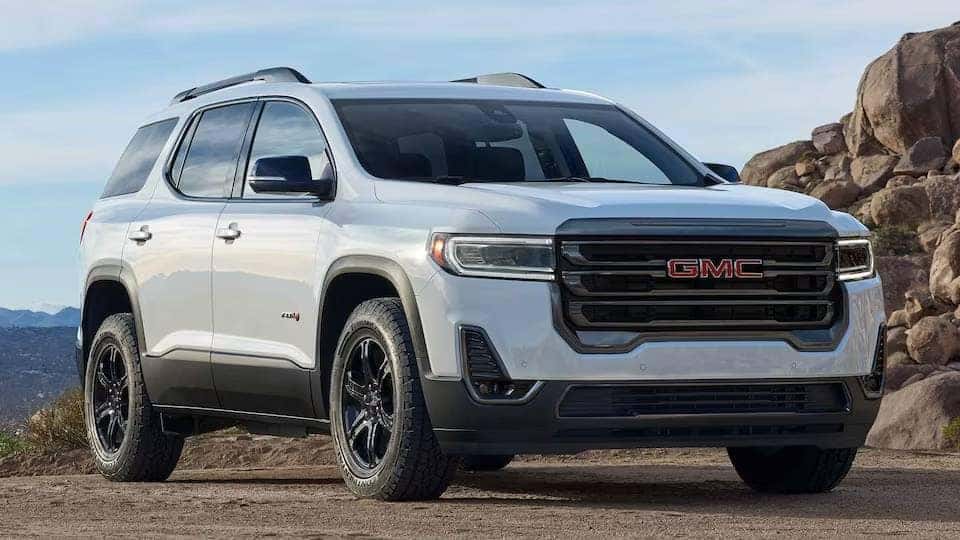
How Much Can A 2023 GMC Acadia Tow?
People choose to get a GMC Acadia for many reasons, including its towing capacity, which is a bonus if you want functionality alongside power and style. But how much can the 2023 GMC Acadia tow? Below, we'll highlight the vehicle's towing capacity based on different factors and provide information on how much you might need. VALUE YOUR TRADE-IN 2023 GMC ACADIA INVENTORY CALL US TODAY! 2023 GMC Acadia Towing Capacity The 2023 GMC Acadia is a 4,342-pound vehicle capable of towing quite a bit. However, your towing capacity with the 2023 GMC Acadia depends on which trim level and powertrain you select. Below, we've listed each of the available trim levels and information about their trailering capacities. 2023 GMC Acadia SLE The 2023 GMC Acadia's base model is the SLE. With this model, you only have one option for the engine, which is a Turbo 2.0-liter I-4 engine. Using this setup, the 2023 GMC Acadia has a max trailer weight of 1,500 pounds or 680 kgs. This doesn't change whether you opt to get front-wheel drive (FWD) or all-wheel drive (AWD). 2023 GMC Acadia SLT The next level up is the 2023 GMC Acadia SLT. This trim has two engine options available. Opting for the same engine as the SLE model, the 2.0-liter, results in getting the same max trailer weight capacity of 1,500 pounds or 680 kgs. If you get the 3.6-liter V-6 engine instead, your max trailer weight drops to 1,000 pounds or 454 kgs. Once again, the trailer weight capacity remains the same with both models whether you select FWD or AWD. 2023 GMC Acadia AT4 After the SLT, there's the 2023 GMC Acadia AT4. With this model, the only engine option is the 3.6-liter V-6 engine. This means the AT4 has the same max trailer weight as the SLT using the same engine, allowing for up to 1,000 pounds or 454 kgs. The AT4 model is also only available with AWD. 2023 GMC Acadia Denali Finally, there's the 2023 GMC Acadia Denali. If you go for this trim, you again have the choice between the two engine options. And, as with the previous models, the max trailer weights remain the same. This means you'll have a maximum capacity of 1,500 pounds and 680 kgs with the Turbo 2.0-liter engine and a capacity of 1,000 pounds and 454 kgs with the 3.6-liter V-6 engine. Once again, opting for AWD over FWD does not impact the max trailer capacities. 2023 GMC Acadia Trailering Equipment Package To increase the max trailering capacity of your 2023 GMC Acadia, GMC offers the Trailering Equipment Package. This package adds several essentials to your SUV that significantly improve the max capacity and make it easier to attach your trailer to the SUV. Some of the things added through this package include: A factory-installed hitch. A Class III hitch. Hitch Guidance with Hitch View. A seven-pin wiring harness. A heavy-duty cooling system. A 170-amp alternator. The Trailering Equipment Package improves the trailering capacity from 1,500 pounds to 3,250 pounds with the 2.0-liter engine and from 1,000 pounds to 4,000 pounds with the 3.6-liter engine. How Much Towing Capacity Do You Need? Knowing the maximum trailering capacity of the 2023 GMC Acadia only helps if you know the weight of what you want to tow. In many cases, you can find the weight of your trailer written directly on it or in the manual that came with it. When making your calculation, don't forget to factor in not only the weight of the trailer but also anything you store inside it. If you're unsure of your trailer's weight, some average weights include: Canoe/kayak trailer: 100 to 400 pounds. Jet ski trailer: 100 to 500 pounds. Motorcycle trailer: 300 to 800 pounds. Fishing boat trailer: 200 to 1,100 pounds. Tow dolly: 400 to 800 pounds. Small open utility trailer: 300 to 1,100 pounds. Other Benefits of the 2023 GMC Acadia Of course, the towing capacity isn't the only reason to get the 2023 GMC Acadia. This vehicle comes packed with other features that make this an excellent SUV to consider. For starters, the two engine options allow for a decent towing capacity and deliver a great driving experience. With the 2.0-liter engine producing 228 horsepower and the 3.6-liter delivering 310 horsepower, you'll have plenty of juice, whether you're cruising down the highway or taking the back roads. The 2023 GMC Acadia is also pretty fuel efficient, with the EPA rating the base model at 22 mpg in the city and 29 mpg on the highway. Inside the 2023 GMC Acadia, you'll find a comfortable and modern cabin. Essential information is easy to find, while the center screen console makes it convenient to control the various vehicle features. There are three rows of seats for extra passengers, plenty of cargo space behind the rear seats, a leather-wrapped steering wheel, a tilting-and-telescoping steering wheel, a Wi-Fi hotspot, and so much more. This doesn't even include the safety features the Acadia offers, such as automated emergency braking, lane departure warning, and adaptive cruise control. If you're looking for a great all-around SUV that allows you to tow small amounts, you should strongly consider the 2023 GMC Acadia. With all the different configurations and features available, you're sure to find a combination that fits your needs and budget. Explore the 2023 GMC Acadia in Carmel Do you think that the 2023 GMC Acadia might fit your needs? If the answer is yes and you're in the Carmel, New York, area, come and visit us at Meadowland GMC. Our friendly team will be happy to answer any questions you have about the 2023 GMC Acadia, including its towing capabilities, and take you out for a test drive so that you can experience it for yourself. Get started today by contacting us to schedule an appointment.

How Many Gallons Does the 2023 GMC Sierra 1500 Hold?
There are many factors you should consider when exploring a new truck. For example, you'll want to make sure it has enough seats, a large enough truck bed, or the ability to tow your trailer. You may also want to consider fuel efficiency and how far you can drive on a single tank of gas. After all, gas is expensive, which is why fuel costs are a major part of truck ownership. With that in mind, below we'll provide some details on the tank sizes that you can find in the popular 2023 GMC Sierra 1500, along with what sort of fuel efficiency you can expect. We'll also provide some tips on how to improve fuel efficiency so that you can save money at the pump. 2023 GMC Sierra 1500 Gas Tank Size With the 2023 GMC Sierra 1500, there are two gas tank sizes available. The standard size is 24 gallons. You'll get the 24-gallon tank with most 2023 GMC Sierra 1500 trims, including the Denali Crew Cab, Elevation Crew Cab, Pro Crew Cab, Pro Double Cab, Pro Reg Cab, SLE Crew Cab, SLE Double Cab, SLT Crew Cab, AT4 Crew Cab, and the AT4X Crew Cab. This applies whether you get the 5.3L V-8 Ecotec3 engine or the 2.7L High-Output engine. The exception is the Pro Reg Cab 140", where you'll instead get a 28-gallon gas tank. 2023 GMC Sierra 1500 Fuel Efficiency The fuel efficiency for the 2023 GMC Sierra 1500 depends on which trim level you select. The lowest level is the 2023 GMC Sierra 1500 with the 5.3L engine, two-wheel drive, and automatic 10-speed transmission, which comes in around 15 mpg in the city and 18 mpg on the highway. At the other end of the spectrum, the most fuel-efficient 2023 GMC Sierra 1500 uses the 3.0L engine, automatic 10-speed transmission, and four-wheel drive. This diesel-powered truck delivers around 22 mpg in the city and 27 mpg on the highway. Due to the different fuel efficiencies, this means the 2023 GMC Sierra 1500 models also have different maximum ranges. On a full tank of gas, your 2023 GMC Sierra 1500 should be able to get between 373 miles and 574 miles, depending on which trim option you select. How To Improve Fuel Efficiency Regardless of what sort of vehicle you're driving, there are a few things you can do to improve fuel efficiency. Implementing the tips below can help you get further on a single tank of gas, thereby saving you money in the long run. Reduce Weight One simple place to start is by reducing the weight of your vehicle. The heavier your vehicle, the more your engine has to work to power it, which uses more fuel. If you can reduce the weight by removing things you don't need, you'll find that you don't use as much fuel. For example, you can remove items such as roof or bike racks when you're not using them. Also, look to remove cargo from your truck bed when you can, rather than leaving it in there for extended trips. While there aren't many ways to significantly reduce the weight of your vehicle, if you can limit your extra items, this will pay off over time. Change Driving Habits Your driving habits also play a big role in determining your fuel efficiency. For instance, vehicles start to lose fuel efficiency after reaching about 45 to 50 mph. The more you go over this speed limit, the less efficient your engine becomes. Therefore, if you can stay closer to the speed limit when driving, you'll improve your fuel efficiency. The same goes for how you drive. Repeated acceleration and hard braking use up more fuel. Instead, try to cruise at a steady pace, using cruise control when possible. The 2023 GMC Sierra 1500 features optional adaptive cruise control, making driving not only more enjoyable but more fuel-efficient. Limit Idling Idling is another big user of gas. In fact, idling uses more gas than if you were to turn off your vehicle and restart it. Therefore, the next time you're going to be waiting in your vehicle for an extended period of time, consider shutting it off rather than letting the engine run. This will not only help you save on gas money but it's better for the environment too. Perform Regular Maintenance Finally, make sure you're performing regular maintenance on your vehicle. There are many components inside your vehicle, and some of them can begin to impact fuel efficiency if you don't take care of them. For example, dirty air filters make it harder for the engine to run efficiently, meaning that it uses more fuel. Other parts to be aware of are your spark plugs and oil. One especially important area to pay attention to is your tires. If your tires are underinflated, they can increase your fuel consumption by up to 3%. With underinflated tires, therefore, you're not only using more gas but decreasing the life of your tires, meaning that you'll need to replace them sooner. You can check your owner's manual to learn the proper inflation amount for your tires. With your internal components and tires both impacting fuel efficiency, we recommend that you bring your vehicle in for maintenance every few thousand miles. Doing so not only improves fuel efficiency but also extends the life of your vehicle and can help you avoid costly repairs. Explore the 2023 GMC Sierra 1500 in Carmel If you'd like to learn more about the 2023 GMC Sierra 1500, Meadowland of Carmel is here to assist you. We'd be happy to answer any questions you may have about this truck, including the gas tank size for the specific model that interests you. To schedule a visit to our dealership, please contact us today. You can also visit our Service Center if you need help maintaining your truck and want to improve its fuel efficiency. Thank you for visiting Meadowland GMC, and we look forward to assisting you.
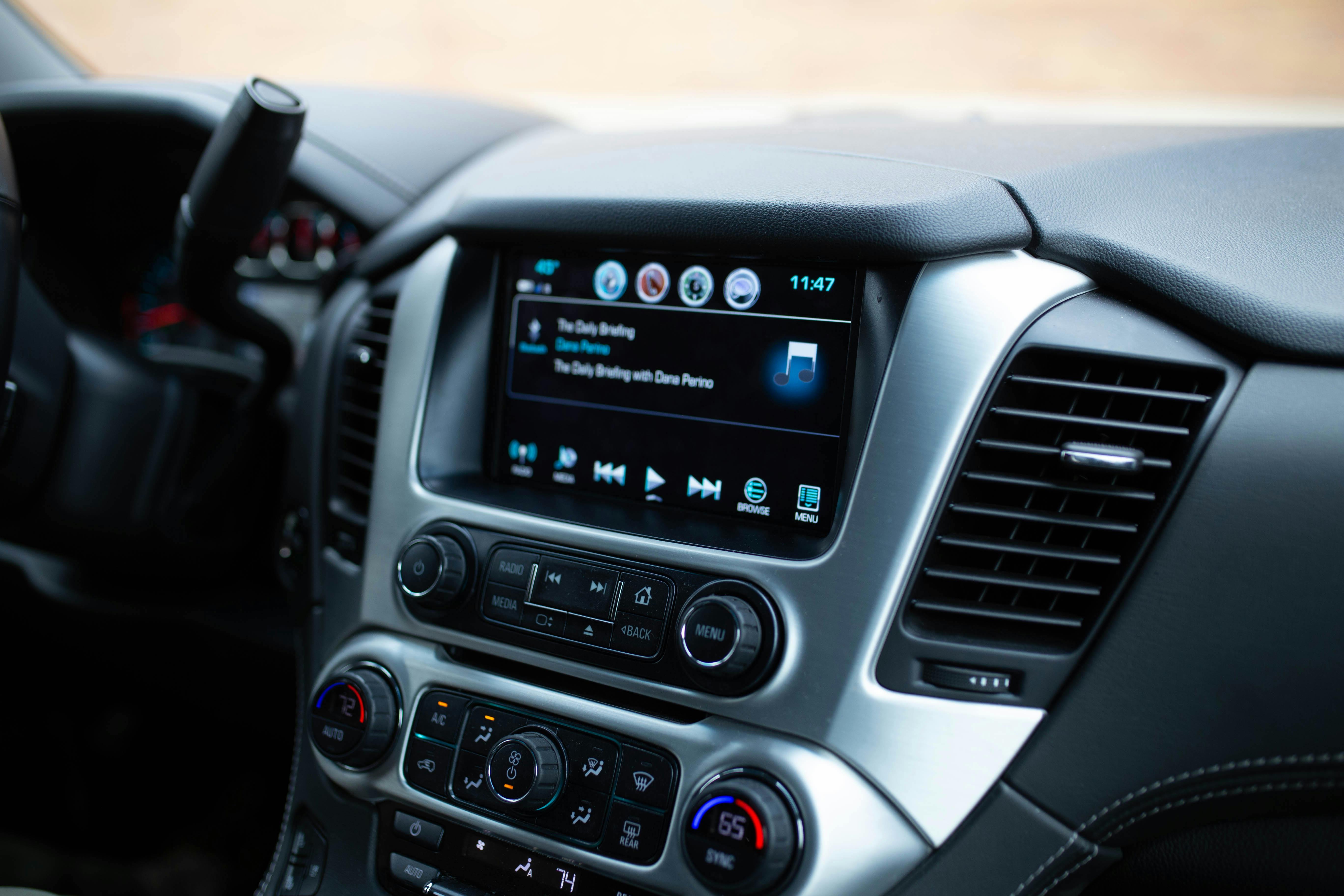
How to Reset the GMC Acadia AC
Your GMC Acadia's air-conditioning system should always be there when you need it, ready to deliver cool, dry air to keep you comfortable in the cabin during your New York commute. When your GMC Acadia AC is not working as it should be, you can try a few solutions to get things working again, including resetting it. Read on to learn about troubleshooting and resetting the air conditioner in your GMC Acadia. NEW GMC ACADIA INVENTORY SERVICE CENTER SCHEDULE SERVICE What Is Air Conditioning, and How Does It Work in Your Vehicle? Your vehicle's air-conditioning system removes heat and humidity from the air to help you cool the cabin. To do this, the air-conditioning system contains a product called refrigerant. Refrigerant can be a fluid or a gas, depending on temperature and pressure, and your air-conditioning system has high-pressure and low-pressure sections. When you turn on the air-conditioning system, the gas refrigerant enters a part called the condenser, which puts pressure on the refrigerant, and the refrigerant becomes very hot. The compressed refrigerant then moves through hoses from the compressor to the condenser. In the condenser, air from outside passes over the air-conditioner hoses, releasing heat from the refrigerant. The refrigerant, now a cool liquid, is filtered and then moves into a low-pressure system. The refrigerant passes through the expansion valve or orifice tube, becoming vaporized. It then absorbs heat from passing air in the evaporator. This cooled air blows into your vehicle's cabin. Causes of Air-Conditioner Problems and How To Tell if It Needs a Repair Once you notice the GMC Acadia AC light blinking, you'll realize that you can't solve all problems with your air-conditioning system by resetting it. If resetting doesn't work, it can be helpful to understand the parts of your air-conditioning system that might have a problem. Several essential components of your air-conditioning system might need to be repaired or replaced. Your vehicle might show different signs depending on which part has a problem. Cabin Air Filter The cabin air filter, which you may also call the pollen filter or microfilter, helps remove contaminants so you can breathe fresh air from your air-conditioning system. Over time, this filter can become dirty. If the filter is dirty, you might particularly notice poorer cooling function. Fixing this problem requires changing the cabin air filter. Evaporator The evaporator is a radiator that supplies cool air. If your evaporator gets dirty, you may notice irregular airflow or a stale smell in the cabin. It can also develop leaks. A mechanic can clean or replace the evaporator. Refrigerant Refrigerant helps keep your engine cool by absorbing heat and delivering it to the condenser. Suppose you don't have enough refrigerant, either because you're due for a refill or because of a leak. In that case, this cooling system is less effective. A mechanic can help you identify the source of any leaks. Condenser The condenser takes the heat your refrigerant absorbs and releases it into the surrounding air. If the condenser gets dirty or full of debris, it may be more difficult for the air-conditioning system to cool your vehicle. You can clean the condenser to fix this problem, but if it's leaking, you should get it checked by a mechanic. Compressor The compressor turns your coolant into a liquid form. If the compressor isn't working, the air from your vents won't be as cool, or you might hear rattling noises. A mechanic can replace a broken compressor. Blend Door Actuator The blend door actuator helps control your air-conditioning system based on your temperature selection in the cabin. You might hear clicks in the dash if there's a problem with your blend door actuator. You may be unable to control the cabin temperature or air flow speed. Blower Motor The blower motor is the fan that moves air through your system. If the blower motor has a problem, you might not get any airflow through the vents, or the flow might be reduced. A mechanic can replace a broken blower motor. Fuse The air-conditioner fuse regulates the electrical current going to your air-conditioner compressor to ensure the compressor doesn't receive excessive current. If the air-conditioner fuse blows, you might have other electrical problems in your vehicle simultaneously. Or, you might have other issues with your air-conditioning system and the blown fuse. Temperature Sensor The temperature sensor monitors and regulates the temperature of the air-conditioner evaporator. If your temperature sensor isn't working correctly, your air-conditioning system might stop blowing cold air or produce changing temperatures. Your air-conditioner compressor might also fail to turn on. When and How To Reset the GMC Acadia's Air Conditioner Sometimes, resetting your air conditioner can fix your problem if it doesn't require replacing parts. Always consult your owner's manual when working on your vehicle. You can try the following steps to reset your air conditioner: To calibrate the GMC Acadia HVAC (heating, ventilation, and air conditioning) system: Remove the HVAC/EACS fuse for at least 10 seconds. Check your owner's manual for the fuse location. Reinstall the HVAC/EACS fuse. Turn on your vehicle, but don't press any buttons or adjust your air-conditioning controls. The control module will take 40 seconds to self-calibrate. After one to two minutes, turn the vehicle off for 10 to 30 seconds, and then restart the vehicle. Check if your air-conditioning controls are working. You can also try other troubleshooting tips, such as ensuring all your vents are open or replacing a dirty air filter. Whether it's a balmy Meadowland summer or any time of year when you could use a cool breeze, your air-conditioning system needs to work correctly. We hope the tips above have been helpful, and if you need further assistance, the team at Meadowland GMC in Carmel, New York, proudly offers certified services. You can schedule service with us online, or feel free to contact us or stop by during our business hours to chat with our team. Our friendly, professional staff can help you get on those New York roads again as quickly and comfortably as possible. Photo Credit: Black 2 Din Car Stereo by Kevin Burnell is licensed with Pexels License
How to Reset Service Airbag on a GMC Sierra?
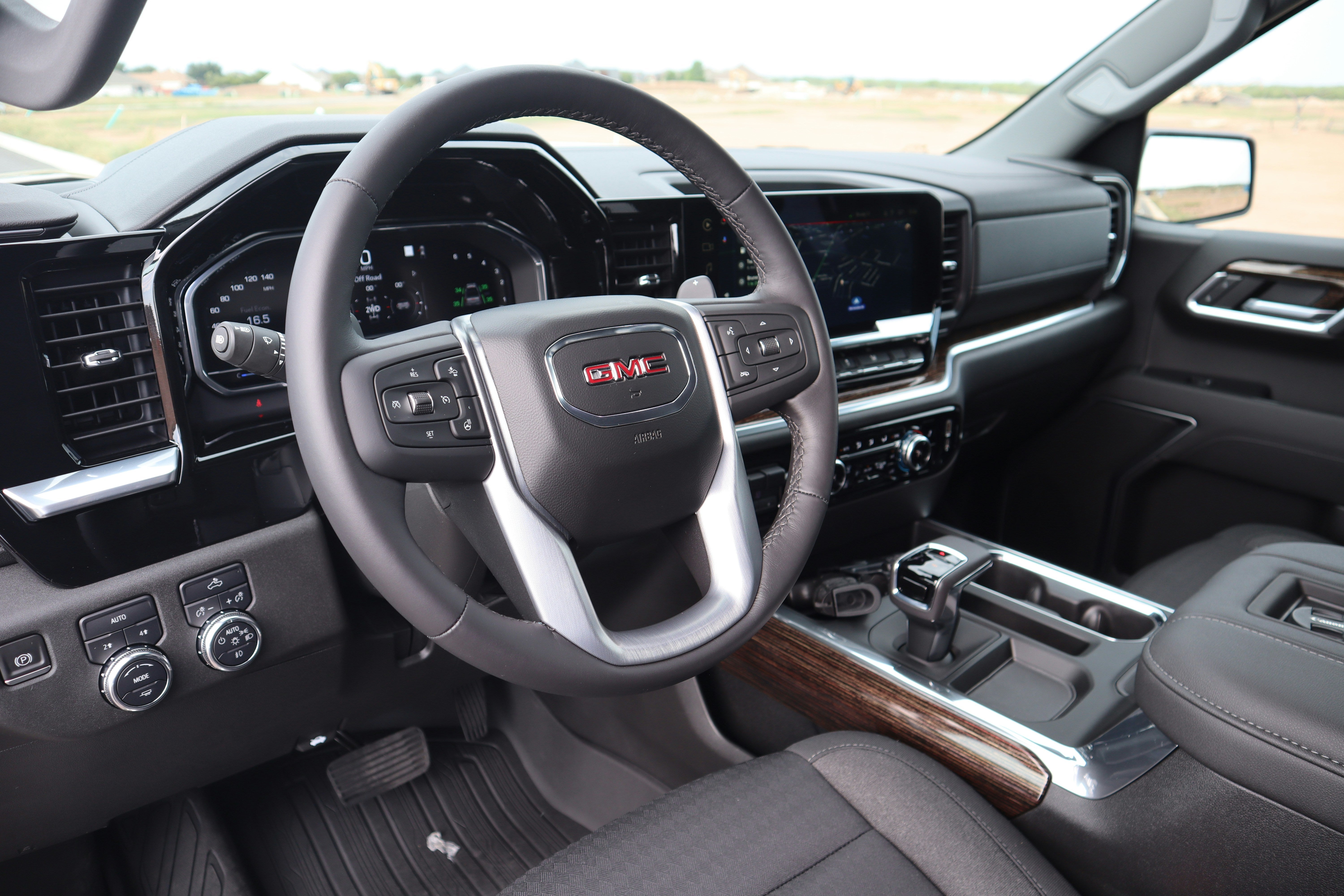
A functional airbag system is critical to the safe operation of your vehicle. If an airbag service warning light appears or you keep a close eye on your GMC Sierra service schedule, you might have concerns about whether it's okay to keep driving. Read on to learn about your airbag service warning indicator, including how to check what might be causing the warning, what the service airbag means, the steps you can take to try and reset it yourself, and how Meadowland GMC can help if all else fails. SCHEDULE SERVICE SHOP GMC SIERRA HD INVENTORY CALL US TODAY! What Is the Service Airbag Warning? The service airbag warning light is an indicator that there is a fault in your SRS (supplement restraint system). The SRS, your airbag system, works along with your seatbelt system to help keep you safe in the event of a collision. The service airbag warning light illuminates to let you know that the system may not function properly. This could be dangerous in the event of an accident because it means that your airbag might not deploy. Why Might You Need to Reset the Service Airbag Warning? Typically, the airbag light will illuminate when you start your vehicle. This is part of a general systems check. The light should go off again after being lit for around 5-7 seconds. If the light stays illuminated or flashes, there may be a problem with your airbag system. The airbag warning light is supposed to illuminate if the airbag has been deployed or the vehicle has been in an accident. The light will remain illuminated if your airbag has been deployed without being reset. However, if your airbag hasn't been deployed, there might be other reasons why the service airbag warning light comes on. You might want to try resetting the warning after attempting a few simple solutions to see if it solves the problem. A primary defect in the airbag itself isn't common. More likely, you'll find a problem with other components, such as a sensor or your seatbelts. How to Reset the Service Airbag Light on the GMC Sierra You can try following the steps below on how to reset your service airbag light. If none of the steps below fixes your GMC Sierra service problem, or if you want someone to look at it for you, we're happy to help. It's a good idea to refer to your owner's manual as you go through these steps. Turn Your Ignition On and Off Again Turn on the ignition switch without starting the engine. After doing so, the airbag light should come on. After seven seconds, the light should then turn off. When this happens, turn off the ignition. Wait three seconds, and then repeat the process once or twice again. Finally, start the engine. This may clear the problem, and your service airbag light will remain off. Drive Your Vehicle Sometimes, driving for a few minutes can help clear the warning. Around 3-5 minutes should be enough. This can give the passenger seat sensors time to cycle and for your systems to power on. Sometimes the airbag service indicator will clear after this. Check the Passenger Air Bag Switch Your GMC Sierra may have a passenger airbag on-off switch. If it does, the switch should be in your glove box. If you find that the button has accidentally been turned off, you can try switching it on. Check Your Passenger Weight Sensor If your vehicle senses weight, such as a box or bag, in the passenger seat, it might think that someone is sitting in that seat. If you take the heavy object off the seat, the problem should resolve. Alternatively, you can buckle the seat belt in that seat. If no object is in the seat, but buckling the passenger-side seat belt still fixes your problem, the sensor might be defective. Check Your Seatbelts If one of your seat belts has a problem, this could trigger an air bag warning. While your car is running, try clicking each seat belt into place and releasing it by pressing the seat belt button. If something is obstructing your seat belt fastener, or if it can't latch securely, this might cause your problem. Consider Using an OBD-II Scanner for More Details At this point, it may be time to have your vehicle serviced by a mechanic. However, another option is to get more detailed information about your persistent airbag light. You can choose to buy a second-generation onboard diagnostic scanner, known as OBD-II. When purchasing your scanner, it's important to check that it has the appropriate SRS capability because not all scanners will be able to interface with your airbag system. This tool can read or even reset vehicle trouble codes. Under your steering wheel, find your diagnostic link connector and connect the scanner. After you run a scan, you can look at the code or codes on the screen to get more details about the problem. You should repair any issues before resetting the airbag light because simply resetting the light doesn't fix whatever caused it to come on in the first place. Depending on your level of mechanical skill, you may attempt further repairs on your own or have your vehicle repaired professionally. Have Your Vehicle Serviced by a Mechanic A professional mechanic, such as the ones at Meadowland GMC, can identify the problem causing your airbag light to stay illuminated. After a checkup, they can recommend and perform any necessary repairs or replacements. These repairs may include replacing the airbag clock spring, sensors, airbag system control unit, or airbag backup battery. If you have any problems with your airbag, we'll be happy to help. Just Book a service appointment using our convenient online form, or visit our dealership in Meadowland for assistance. You'll find us at 1952 Route 6 in Carmel, New York. If your airbag is deployed because of an accident, our collision center is ready to help you get safely back on the road. Photo Credit: Image by Bryan Boatright is licensed with Unsplash License

How Much Can a 2023 GMC Canyon Tow?
The brand new 2023 Canyon from GMC is here, ushering in the mid-size truck's third generation. The Canyon combines unstoppable capability from a new engine with cutting-edge technology and a sophisticated first-class interior. It also features an all-new exterior, but many drivers want to know how much it can tow. A new AT4X trim is here, and off-road metrics and towing capabilities were improved across the board. Compared to the 2022 Canyon, the minimum and maximum potential tow ratings are increased. The 2023 GMC Canyon is equipped to handle the challenges of the trails, cruise the metropolis, and even get jobs done in rough weather. Meadowland GMC is here with all the information you need, so let's examine GMC Canyon's new towing capacities and their requirements. We'll also compare it to the latest 2023 GMC Sierra 1500 and its tow ratings for drivers who have trouble choosing between them. 2023 GMC Canyon Towing Capacity by Trim Options The standard 2.7-liter Turbo High-Output engine now has the best torque in its class at 430 pound-feet and 310 horsepower. Together, this enables the Canyon's sole powertrain to tow a maximum of 7,700 lbs on the Elevation, Denali, and AT4 trim levels. The only variations are on the Canyon AT4X with the Edition 1 Package that can tow up to 5,500 lbs or the AT4X with no Edition 1 Package that can tow up to 6,000 lbs. Considering the 2022 Canyon's potential max towing capacity varied from 3,500 to 7,000 lbs, the new numbers are a significant improvement. To make full use of the GMC Canyon's 7,700-lb towing capacity, ensure that you find an appropriately equipped Elevation, AT4, AT4X, or Denali trim level. It will also need the optional locking rear differential and all the equipment from the Trailering Package. Before towing, it's important to take into account the weight of your passengers, cargo, and any heavy accessories toward the maximum weight. Keep in mind any trailer's tongue weight, as well. For more information on the towing capacity and recommendations for the Canyon and other models, please contact Meadowland GMC. Does the 2023 GMC Canyon Include a Towing Hitch? Indeed, unlike some competing trucks, the 2023 Canyon has a Trailering Package included standard, featuring a trailer brake controller, a seven-pin connector, and other required features for connecting and pulling a trailer. Also, the new Canyon series gets an off-road chassis package included on all trim levels. This includes a 2-inch factory-installed lift for a total of 9.6 inches of ground clearance and a 33.3-degree approach angle on the Elevation and AT4. The Denali gets 10.7 inches of ground clearance and a 22-degree departure angle. 2023 GMC Canyon Cargo Bed Features You can transport supplies and equipment to your base camp or wherever the action takes you with the help of Canyon's cargo bed. In addition to a roomy 61.2 cubic feet of storage space and a maximum payload capacity of 1,280 to 1,670 pounds, the cargo bed also contains eight tie-downs. It also gets a half-gate position for the tailgate, which helps when loading long objects. Through optional features or packages, drivers can add a draining tailgate storage system, a 120-volt outlet, and a spray-on bed liner. What About the Canyon Trailering App? With the aid of Canyon's accessible in-vehicle trailering app, you can confidently and easily pull your camper, ATV, and other necessary equipment. Some of the most useful trailering app functions include: Trailer Detection software. Trailer Maintenance Intervals. Towing Safety Checklist. Trailer Light Sequence Test and Diagnostic Mode. Trailer Theft Detection. Towing Capacity and Fuel Efficiency: Canyon Vs. Sierra The majority of folks around Carmel, New York, seeking a heavy-duty truck will probably want to compare the mid-size Canyon versus the half-ton GMC Sierra 1500. Thankfully, these two trucks both deliver a powerful and capable performance. The Sierra 1500 can be found with rear- or all-wheel drive, with two different transmissions and four different engines. Between those options, a 2023 Sierra 1500 will have maximum tow ratings of 8,700 to 9,400 lbs. In terms of power, the closest Canyon to the Sierra 1500 is any trim with the Elevation package and other requirements, pushing the payload capacity to 1,640 lbs and the towing capacity to 7,700 lbs., such as the Elevation, Denali, or AT4. If you don't need to go as far as 7,700 lbs of towing, the AT4X top-level trim shouldn't be overlooked, with its maximum towing capacity of 6,000 lbs. When properly outfitted, the half-ton GMC Sierra pickup can accommodate a greater class of trailers and other objects than the Canyon, but not to an extreme level of difference. As for fuel economy, the GMC Canyon diesel is rated by the EPA for 20 mpg in the city and 30 mpg on the highway, or 23 mpg combined, in two-wheel drive. For four-wheel drive, the engine gets 19 mpg in the city, 28 mpg on the highway, and 22 combined mpg. The GMC Sierra has different fuel economy estimates depending on the engine, but the best numbers come from the standard powertrain with 19 mpg in the city, 22 mpg on the highway, and 20 mpg combined. Out of the two, the truck model for you depends on many factors, including your spending limit, your tastes, and more. The GMC Canyon might be the appropriate vehicle if you're looking for a reasonably priced truck that you can use for daily driving or the occasional side project. Thanks to the affordable base pricing, you have lots of room for additional features. The Sierra 1500 is perhaps a better option if you need a heavy-duty truck that can manage regular towing jobs and heavy loads. Test Drive a GMC Canyon in Carmel, New York The 2023 GMC Canyon offers a lot of appealing features, some coming from specific trim levels. The new AT4X, for example, has an amazing appearance, but it shines best on inclined off-roading paths. Even this model, like the others, brings an improved average towing capacity over the 2022 edition. Visit Meadowland GMC in Carmel, New York, and test drive a GMC truck at your convenience. You can also give us a call or contact us online to learn more about pricing and availability.

How to Reset the Service StabiliTrak Light in a GMC
If you're reading this article, you've likely asked yourself recently, "Why is my StabiliTrak and traction control light on?" Warning lights are your vehicle's way of alerting you when something is amiss with its stability or traction control systems. While the underlying issue might be as simple as a minor software glitch, you could have a more serious problem with your vehicle's sensors or modules. In this article, we'll explain what you can do to troubleshoot and reset your StabiliTrak system to resolve simple malfunctions before bringing your vehicle in for a professional evaluation. NEW GMC INVENTORY SERVICE CENTER SCHEDULE SERVICE What Is StabiliTrak in GMC Vehicles? StabiliTrak is GM's proprietary electronic stability control system that protects drivers and passengers in challenging weather and road conditions. This system works with the traction control system to prevent wheel slippage, correct understeering or oversteering, and help drivers maintain control in low-traction scenarios, such as wet, icy, or uneven roads. StabiliTrak monitors your vehicle's movement using sensors that track steering angle, wheel speed, and direction. When a discrepancy between the driver's intended path and the vehicle's actual motion is detected, the system either reduces the engine's power or applies braking force to each wheel individually. This realigns the vehicle and reduces the risk of skidding or fishtailing. The StabiliTrak system is standard in many GMC models, including newer versions of the Sierra, Yukon, Denali, and Acadia. Common GMC StabiliTrak Issues The StabiliTrak system is a wonderful safety feature when it works. However, like any other advanced part of your GMC vehicle, it can malfunction. If you see a "Service StabiliTrak" warning on your dashboard, it's important to address it promptly. Here are some common issues to be aware of so you can troubleshoot: Difficulty engaging or disengaging StabiliTrak: Difficulty activating or deactivating the StabiliTrak system could indicate a faulty switch or malfunction in the system's electronic components. Impaired cruise control functionality: StabiliTrak and cruise control share many sensors and components, so issues within the system can interfere with cruise control performance, causing it to fail to activate or function correctly. Problems with traction control system activation: Traction control warnings may appear on the dashboard, or the system might not operate as expected. The StabiliTrak system works with the traction control system, so sensor or module malfunctions in one can affect the other. Loss of ABS efficiency: StabiliTrak relies on ABS sensors and modules to function correctly, so malfunctions in these components can compromise both systems. Neglecting service StabiliTrak warnings can lead to decreased vehicle stability, impaired braking performance, and potential safety hazards. If you're experiencing any of these problems, schedule a GMC service for a StabiliTrak reset. Request a diagnostic appointment with our service center today, and we'll help you uncover and repair the issue. You can also keep an eye on our service offers to find the best deal on your next auto maintenance or repair appointment. How To Reset the StabiliTrak System on a GMC Resetting the StabiliTrak system on your GMC vehicle is a straightforward process that often addresses minor glitches and clears error messages. However, before attempting a reset, verify the cause of the warning light and take the necessary safety precautions. Before proceeding, address all potential system issues, such as low brake fluid, incorrect tire pressure, and faulty wiring. Here's a step-by-step guide on how to reset the StabiliTrak on a GMC Sierra using the manual reset process: Put your GMC vehicle in park and turn off the engine. Turn the steering wheel fully clockwise, then fully counterclockwise. Wait 15 seconds, then restart the vehicle. Disconnect the battery if the warning persists. If you have tried the manual reset process as instructed above and the Service StabiliTrak light still comes on, you can try the battery disconnect method: Locate the battery under the hood. Using a wrench or pliers, carefully disconnect the negative terminal. Always begin with the negative terminal to avoid electrical mishaps. Wait 10 minutes to allow the residual electrical charge to dissipate. Reconnect the terminal securely, then restart the vehicle. The system should perform a self-check and clear the warning if no underlying issues remain. For a more precise reset, use an on-board diagnostics scanner compatible with GMC vehicles. Connect the scanner to your vehicle's on-board diagnostics port, usually under the dashboard. Then, follow the scanner's instructions to reset the StabiliTrak system. How To Turn Off GMC's StabiliTrak and Traction Control Follow these simple steps to turn off and disable your GMC's StabiliTrak and traction control systems: Find the traction control button located on your vehicle's dashboard. Push the traction control button briefly to deactivate the traction control system. The StabiliTrak system will stay on. Press and hold the same button for approximately 15 seconds to deactivate the StabiliTrak system and traction control. Press the traction control button to reactivate it and your StabiliTrak system. These systems will turn on again after you turn off and restart your vehicle. Maintain Your GMC's StabiliTrak System With Us If you try the tips we shared above and still find yourself Googling "StabiliTrak service near me," we have you covered. While you can often do minor resets and troubleshooting at home, our professional diagnostics and repairs address more complex issues. Our factory-trained technicians can pinpoint problems, from faulty sensors and low brake fluid to more severe system malfunctions. Are you ready to repair your StabiliTrak? Schedule your auto service with us at Meadowland GMC today, or contact us with questions. Our team is always happy to help you keep your GMC running smoothly. Photo Credit: Gray Terrain by Truck Hardware is licensed with CC BY 2.0