


Blog / Driving Tips

How To Reset Park Assist On The GMC Yukon

Resetting GMC Yukon Park Assist

Park Assist is an incredibly helpful safety feature in modern vehicles, especially for large SUVs, such as the GMC Yukon. It uses multiple ultrasonic sensors on the front and back of the vehicle to alert drivers of nearby detected objects or vehicles while parking. However, there may be times when you need to reset this system due to a malfunction or you simply want to turn it off temporarily. In this article, we’ll guide you through how to troubleshoot and reset the Park Assist feature on your GMC Yukon.

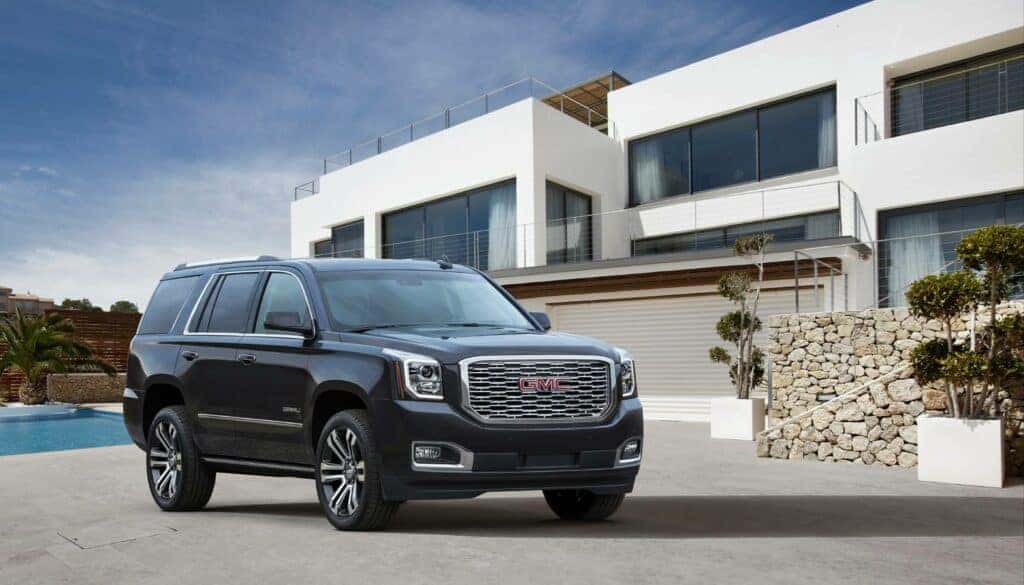
Image from gmc.com

Understanding Park Assist and Its Features

Before diving into resetting Park Assist, let’s first understand its features and benefits:

  • Safety: Front and Rear Park Assist provides alerts of nearby detected objects (up to 6 feet behind the vehicle) and helps drivers park safely.
  • Visual guidance: In addition to audio alerts, some Park Assist systems provide visual guidance on the infotainment screen or dashboard display. These graphics include distance indicators and dynamic guidelines that adjust as you move your vehicle to help you accurately align it within a parking space.
  • Ultrasonic sensors: Multiple sensors on both front and rear bumpers detect obstacles at low speeds (up to 4 feet in front).
  • Alerts: Audio signals, such as low-pitched beeps or pulses, are emitted depending on proximity, with caution triangles displayed on the infotainment screen.

However, remember that these safety features are not substitutes for responsible driving. Always remain attentive to traffic conditions around your vehicle.

Common Reasons for Park Assist Malfunctions

Several factors can cause your GMC Yukon’s Park Assist system to malfunction.

Blocked or Dirty Sensors

Park Assist relies on ultrasonic sensors mounted on the front and rear bumpers to detect obstacles while parking. The parking assist could be blocked if these sensors become blocked or covered by dirt, mud, snow, or debris, causing the system’s performance to be compromised. Regularly cleaning your vehicle and ensuring the unobstructed sensors will help maintain optimal functionality. You might even see a "Park Assist Blocked See Owner's Manual" message on your dash.

Low Car Battery or Auto Stop/Start Voltage Drop

Your vehicle’s battery powers many systems, including the Park Assist feature. A low or weak battery could supply inadequate power to these systems. Additionally, during the engine Auto Stop/Start phase, low battery voltage can sometimes throw a temporary error code. Regularly inspect and maintain your car’s battery health to avoid this issue according to manufacturer recommendations.

Blown Electric Fuse

Blown fuses can cause trouble, as they are responsible for supplying power throughout various components of the safety system as well as electronic modules controlling them. Checking and replacing any damaged fuses ensures optimal working conditions for all driving aids within your GMC Yukon.

The Microchip Shortage (Missing Module)

Due to global supply chain issues in 2022 and 2023, many GMC Yukons were built without the Park Assist module. GM promised a dealer retrofit later. If you have a vehicle from this period and Park Assist isn't working, you may just need to visit a dealership (like Meadowland GMC) to get your retrofit chip installed.

Methods for Resetting Your GMC Yukon’s Park Assist

Resetting via the Infotainment Screen (Modern Yukons)

For most recent GMC Yukon models, you can reset or toggle the system via the infotainment screen:

  1. Navigate to Settings.
  2. Select Vehicle.
  3. Choose Collision/Detection Systems.
  4. Find Park Assist and toggle it off, wait a few moments, and then toggle it back on.

The Hard Reset (Battery Disconnect)

If the infotainment toggle doesn't clear the error message, a standard DIY module reset involves disconnecting the negative battery terminal for about 15 minutes. This can clear temporary glitches in the system. Reconnect it securely and turn the vehicle on to see if the issue is resolved.

Please note that these instructions are general guidelines, and it’s always recommended to consult your GMC Yukon manual for specific instructions tailored to your vehicle model. Older models may have a physical Park Assist button or use steering wheel controls to navigate the Driver Information Center (DIC) to manage settings.

How to Fix the "Service Park Assist" Message

If you see a persistent "Service Park Assist" message on your dashboard, it indicates a fault within the system that likely requires professional attention. This could be a damaged sensor, wiring issue, or a module failure. Schedule an electrical diagnostic with our Carmel, NY service center today to get to the root of the problem.

Repair Costs for Your Yukon’s Park Assist System

In case resetting doesn’t solve your problem or there is physical damage to sensors or other components of the safety feature, professional repair is needed. Repair costs vary greatly depending on whether it's a simple sensor cleaning, a single sensor replacement, or a more complex module replacement. Contact our service department for an accurate quote.

It’s always essential to consult with professionals before making any changes that could affect an integral safety feature in modern vehicles like the GMC Yukon.

Safety Precautions: Don’t Rely Solely on Park Assist

While the GMC designed the Yukon Park Assist system to make parking safer and easier, it’s vital not to rely solely on this technology. The sensors may not detect all children, pedestrians, bicyclists, animals, or objects below the bumper. Always pay attention while parking or exiting your vehicle.

Explore the Yukon’s Safety Features in Person

Explore our inventory of new Yukons for more information about available GMC models and their safety features. For added peace of mind when purchasing a pre-owned model, consider browsing through our collection of used vehicles as well, and our staff of experts can guide you through any questions you may have.

Resetting your GMC Yukon’s Park Assist system isn’t complicated but should be cautiously approached. If you have any concerns or issues regarding this feature or other aspects of your GMC vehicle maintenance and performance, don’t hesitate to contact a professional mechanic for assistance.
Posted in:

Related Posts

GMC Key Fob

How To Change the Battery in GMC Key Fob

Looking to change the battery in your GMC key fob? Wondering if that's the reason your remote won't work? We're here to help. A dead battery is the most common reason for your key fob not working. While your GMC key fob's battery should last up to four years, it will inevitably need to be replaced eventually. The good news is that it's free and easy to do yourself. In this article by our team at Meadowland GMC, we walk you through the steps of changing the battery in your GMC key fob. We also share a few other things to check if it turns out that the battery isn't the problem. It might be faulty if your battery still isn't working after these steps. Contact our team at GMC Meadowland, and we can arrange a replacement. VALUE YOUR TRADE-IN SEARCH NEW INVENTORY CALL US TODAY! How To Change the Battery in a GMC Key Fob Replacing the battery in your GMC key fob should take less than five minutes. It's simple enough to remove the cover, replace the battery, and put it back together. If the key fob doesn't work after replacing the battery, another issue may be with your vehicle or fob. Bring your new or used vehicle to Meadowland GMC, and our expert technicians can fix it for you and get your GMC key fob working again. Step-By-Step Guide Follow the steps in this article to replace your battery. The specific process may vary slightly depending on your GMC key fob's model and year. It's always a good idea to consult your vehicle's owner's manual or contact your local GMC dealership for a step-by-step guide tailored to your key fob model. Buy a New Battery First, you'll need to determine what battery your GMC key fob uses. You can usually find these details in your vehicle's owner's manual. Most batteries for GMC key fobs run on three-volt CR2032 batteries. Luckily, they're pretty easy to find. You can usually buy them at your nearest hardware or department store. They also come in packs, so you can stock up in case your battery dies again. Gather Tools Replacing your battery is fairly easy, and you don't need anything too complicated. All you need is a small flathead screwdriver. If you don't have one, you can use a coin to open the key fob. Remove the Back Cover Carefully pry open the back cover of your key fob using a flathead screwdriver. There should be a small slot on the side of the fob where you can insert the screwdriver and twist it to separate the fob into two halves. Be careful not to force the panel, as this could cause it to break. It should pop apart easily. Remove and Replace the Old Battery Once you've taken off the back cover, take a look at whether the positive side of the battery is facing up or down before you remove it. This will tell you how to replace it. Once you've taken note, you can remove the dead battery from its housing and replace it with a new battery. Make sure that the positive side is facing you or is toward the back panel of the fob. Replace the Cover Once you've settled the new battery in its correct position, you can line up the two halves of the key fob and push them back together. You should hear a soft click when it's locked correctly. Test the Fob After following the steps above to replace your battery, your key fob should work. If it doesn't, try each step again and make sure that you've positioned the battery's polarity correctly. If you've repeated the process and it still won't work, it's likely not a battery issue. Other Things To Check if the Problem Isn't the Battery If replacing your battery using the steps above doesn't fix the issue, another problem may be affecting your GMC key fob. Usually, this means there's an issue with the fob itself or your vehicle's electronics. Here are some things to try: Reassemble the key fob: Make sure that you've properly reassembled the key fob after replacing the battery. Check that you've aligned the two halves correctly and that they're snapped securely into place. Check for damage: Examine your key fob for any physical damage. You may need to replace it if it's cracked, it's water-damaged, or it has a broken button. Check the buttons: Sometimes, the button contacts within the key fob can wear out. If you're handy with electronics, you can try carefully cleaning or resoldering the contacts. Resync the key fob: If you've replaced the battery, your key fob may need to be resynchronized with your vehicle. Check your owners manual for instructions on how to do this for your specific GMC model. Check for interference: Interference from another device or an electrical source can interrupt the key fob's signal. Try using the key fob in different locations to rule out any interference issues. If you've ruled out all other possibilities and your key fob still doesn't work, it might be faulty, and you may need to replace it with a new one. Battery replacement is one of the many services we offer at Meadowland GMC. We'll inspect the fob and your vehicle and either fix or replace it for you in no time. Visit Meadowland GMC Changing the battery in your GMC key fob is simple. For a weak or dead battery, you don't need any expertise to solve the problem. All you need is a new battery and a flathead screwdriver. If you've replaced the battery and your key fob still doesn't work, bring it to our Meadowland GMC service center for our technicians to take a look. We'll inspect your fob for damage, interference, or faults. We'll then fix the issue or provide you with a new fob if necessary. Either way, we'll get your GMC key working again. Photo Credit: red Isuzu pickup truck under a calm blue sky by Steady Hand Co. is licensed with Unsplash License

GMC Terrain

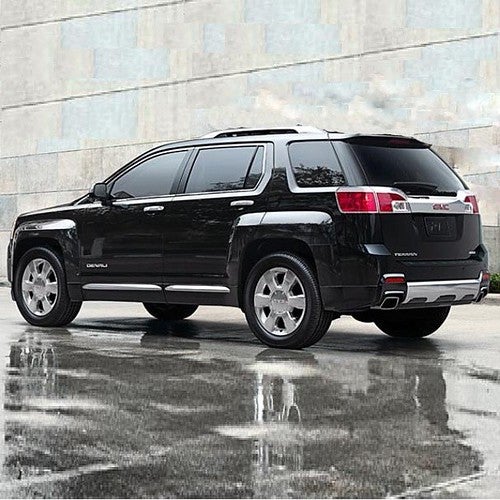
Does the 2023 GMC Terrain have third-row seating?

The GMC Terrain is packed with a wide array of features that you and your passengers will love. Its spacious design and interior features make it ideal for commuting and family trips. Let's see what sets the GMC Terrain apart. Does the 2023 GMC Terrain Have Third-Row Seating? The 2023 GMC Terrain is a midsized SUV with seating for five people over two rows. No third row is available for this model year. This Terrain comes in four trim levels: SLE, SLT, AT4, and Denali. The GMC Acadia is ideal for larger families or carpoolers who need that extra row of seating. Thankfully, the 2023 GMC Terrain has entertainment, convenience, and comfort features that set it apart from the pack. We'll cover those in detail for you here. Entertainment Features That Make Every Drive a Blast The 2023 GMC Terrain's list of standard entertainment features is truly impressive for an SUV of its size. They include a Wi-Fi hotspot for handy and stable internet access, a six-speaker sound system, and a 7-inch diagonal GMC Infotainment System with a multi-touch display. Multi-touch means that the system can track more than one touch simultaneously, something many infotainment systems can't do. The infotainment system comes with Apple CarPlay and Android Auto programming. The system supports wireless versions of both programs. It also includes Bluetooth phone programming and Bluetooth streaming audio service. Phone programming is universal, but the streaming audio service is limited to specific phone manufacturers and models. Your GMC dealer can tell you whether your phone is compatible with the system. SiriusXM satellite radio Platinum is the show's real star in terms of standard entertainment features in this SUV. It includes 150 channels, commercial-free music streaming, newscasts, and entertainment programming. You'll also gain access to the SiriusXM Platinum App, so you can access all of its features even when you're not on the road. Optional entertainment features in the 2023 GMC Terrain include an 8-inch version of the infotainment system with advanced voice recognition programming. You can program this upgraded version of the infotainment system with personalized profiles for your vehicle and infotainment settings, making it ideal for households with more than one driver. You can also upgrade the sound system to a premium Bose version with seven speakers, which adds an amplifier to the center console. GMC Connected Navigation services are also available, providing real-time updates on fuel prices, traffic conditions, parking availability, and points of interest. A Superior Antenna for Premium Performance The world's fancy radio programming is useless without a solid antenna to draw data through. The 2023 GMC Terrain comes with an excellent shark-fin antenna. This form of antenna is known for its high performance and dependability in relation to simultaneous data transfer, communication, and GPS navigation. It also has an exceptionally long life span and is impressively durable. Comfort Features That Make Every Drive a Breeze The five seats in the 2023 GMC Terrain come upholstered with premium cloth material in Jet Black or Medium Ash Gray and Jet Black. An upgrade to Light Platinum and Dark Galvanized upholstery colors and perforated leather-appointed upholstery are also available. This upgrade comes with special Denali badges at the Denali trim level. Four-way manually adjustable bucket seats are standard for the front row, but you can upgrade them to six-way or eight-way power-adjustable versions with two-way power-adjustable lumbar supports. The rear seat bench is available with a center armrest. Comfort options in the 2023 GMC Terrain include a heated leather-wrapped steering wheel and dual-zone automatic climate control with independent controls for each front-row occupant. Single-zone automatic climate control comes standard. Convenience Features That Make Every Drive Satisfying Standard convenience features in the 2023 GMC Terrain include express up-and-down power windows, an auto-dimming rear-view mirror, a 12-volt DC power outlet, a pair of convenient seat releases on the back of the rear-bench seating, a compass display, an overhead compartment for sunglass storage, an extended range remote keyless open fob, and two USB ports for each row. The driver information center covers the status of 26 systems, including fuel range and tank fill level, two-trip computer displays, and average vehicle speed and the related fuel economy. The cruise control system has set-and-resume speed programming capabilities, and the steering wheel features an inlaid audio system and phone controls. GMC Connected Access Features All trim levels of the 2023 GMC Terrain are available with GMC Connected Services programming. This programming suite provides monthly GMC vehicle diagnostic reports, so you can spot irregularities and have them serviced before they become expensive issues. It also grants you access to the GMC Smart Driver system, which gives you tips on how to improve your driving based on your vehicle operation patterns over time. This impressive SUV is also available with three years of OnStar service, so you can call for aid with a button push when needed. The OnStar system includes vehicle security, remote diagnostics, GPS navigation, and communication features. You can buy subscription extensions through us at our dealership in Carmel, New York. Find Out More About the 2023 Terrain at Meadowland GMC There's a great deal more information about the awesome features, options, and capabilities of this ever-popular SUV. Find out more about the 2023 GMC Terrain by reaching out to us online or over the phone at 845-208-0575. You can find us at 1952 Route 6 in Carmel, New York. Our offices are open Mondays through Thursdays from 9 a.m. to 8 p.m. and Fridays and Saturdays from 9 a.m. to 6 p.m. We are always closed on Sundays. Our seasoned team of professionals will gladly guide you through finding and customizing your ideal GMC Terrain. We still have the exterior, performance, safety, and core drivetrain features and statistics to cover, so keep an eye on our site for further information on this excellent SUV and our other well-engineered options. We're sure you'll be impressed with all we have to offer. Photo Credit: Splendid #GMC #Terrain #Denali by Gib Goodrich is licensed with CC BY 2.0

Ultimate Family Vehicle GMC Yukon

2023's Ultimate Family Vehicles

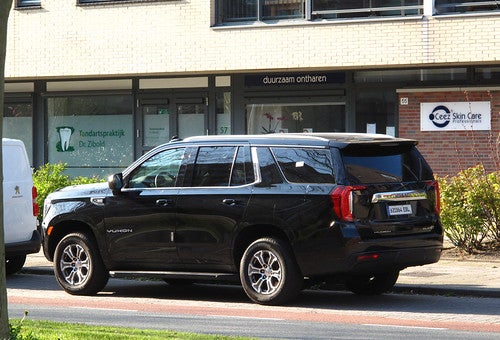
Finding the right vehicle for your family is no small task. You need comfy seating, ample entertainment, a powerful engine, and an abundance of safety features to ensure your crew is well-protected on the road. From ample USB charging ports for your teens' devices to a built-in vacuum to clean up after toddlers, there's no end to the features that can make your driving experience easier. Here are our top picks for family vehicles. GMC Yukon The GMC Yukon offers spacious seating with room for up to eight passengers, making it an ideal vehicle for families. The 2023 Yukon offers an impressive 42.3" headroom in the front, 38.9" in the second row, and 38.2" in the third row. The front seats deliver 44.5" of space for your legs. The second row is also spacious, with 42" or room, while the third row offers a comfy 34.9". Those in the front enjoy the 10.2" diagonal GMC infotainment system, while second-row riders can kick back with dual 12.6" diagonal media touch screens streaming videos from YouTube and Hulu. A Bose 18-speaker sound system delivers crisp audio for all your media needs. Everyone can keep their devices charged with up to six USB ports and wireless charging. The Yukon has two 110-volt power outlets and one 12-volt power outlet, making it a great vehicle for tailgating, camping, and other adventures where you want extra power. In addition to these comforts, you'll find an impressively powerful ride. The AT4, SLT, and SLE come standard with a 5.3L V-8 engine that delivers 355 horsepower and 383 lb-ft of torque. The Yukon Denali and Denali Ultimate come standard with a 6.2L V-8 engine that provides 420 horsepower and 460 lb-ft of torque. If you have a camper or trailer to haul, the Yukon offers an optional Max Trailering Package that will increase your towing capacity to 8,400 lbs. The GMC Yukon offers a range of safety features, including automated emergency braking, rear park assist, and forward collision monitoring. Also available are adaptive cruise control, lane-keep assist, lane departure warning, and more. The NHTSA gave the 2023 Yukon a four-star overall crash safety rating. GMC Acadia The 2023 GMC Acadia has everything you could want in a midsize SUV. You'll find comfortable seating for up to seven passengers with handy features, such as Smart Slide second-row seats and 50/50 split seats in the third row to help you customize your space as needed, whether you're shuttling a large crew of passengers or hauling oversize cargo. Tri-zone climate controls help everyone enjoy a comfortable environment, no matter where they're sitting. Slightly smaller than the Yukon, the front seats of the 2023 GMC Acadia offer 40" of headroom, while those in the second-row offer 39.6" and the third row offers 37.2" The driver and front passenger enjoy 41" of legroom, while the second row provides 39.7", and the third row offers 29.7". An 8" diagonal infotainment system will help inform all your adventures, while the available Bose premium eight-speaker sound system can bump your favorite tunes. The GMC Acadia SLT and SLE come standard with a 2.0L Turbo engine providing 228 horsepower and 258 lb-ft of torque. The Denali and AT4 come standard with a 3.6L V-6 engine that offers 310 horsepower and 271 lb-ft of torque. All trims feature the Traction Select system, which allows you to seamlessly switch between up to five drive modes so you're always well-equipped for whatever driving conditions you encounter. All trims come standard with GMC Pro Safety Plus, which provides forward collision alert, automatic emergency braking, lane-keep assist, lane departure warning, following distance indicator, lane change alert, side blind zone alert, front pedestrian braking, rear park assist, rear cross-traffic alert, and more. You can't get much better regarding your family's safety. The National Highway Traffic Safety Administration (NHTSA) awarded the 2023 GMC Acadia a five-star overall safety rating. Chrysler Pacifica In 2022, Parents magazine named the Chrysler Pacifica the Best Family Car — the third consecutive year this vehicle has been featured on the list. As the most awarded minivan six years in a row, there's no question that this is one of the best family vehicles on the market. The Pacifica offers seating for up to eight passengers with 40.1" of headroom in the front, 39.6" in the second row, and 38.7" in the third row. The front row offers 41.1" of legroom, with 39" in the second row and a generous 36.5" in the third. You can customize the technology in the Pacifica to suit your family’s needs. You'll find options such as the Uconnect 5 infotainment system with up to five user profiles and 19 handy widgets. Ten-inch HD seat-back touch screens can provide videos, games, and more to keep passengers entertained. The FamCam allows you to gaze down at your passengers from the driver's seat. You can even add a Stow 'n Vac integrated vacuum to your vehicle to keep things clean. Under the hood, the Pacifica packs a 3.6L V-6 engine with 287 horsepower. The best-in-class 3,600-pound towing capacity allows you to bring along some of your favorite toys, a standout feature for a minivan. The Pacifica is the only model in its segment to offer an optional fully automatic all-wheel-drive system. It provides maximum traction for rough terrain and allows you to romp into big adventures. The Pacifica offers a wide range of safety features, including forward collision warning with active braking, pedestrian automatic emergency braking, adaptive cruise control, lane departure warning, blind spot monitoring, rear park assist, and more. The NHTSA gave the 2022 Pacifica a five-star overall safety rating. If you'd like to take one of these vehicles for a test drive and check out their features firsthand, come visit our team at Meadowland GMC. We'll walk you through all your options and help you find the best family vehicle. Photo Credit: Image by Rutger van der Maar is licensed with CC BY 2.0